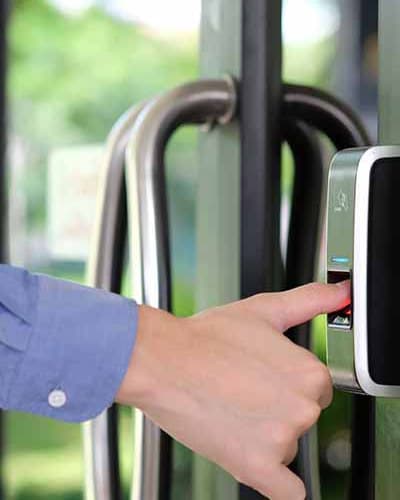
Smart locks offer keyless convenience, remote access control, and enhanced security features that traditional locks cannot match. These electronic locks have become increasingly popular with homeowners who want to modernize their home security while simplifying their daily routines.
What is a Smart Lock?
A smart lock is an electronic locking device that replaces or supplements your traditional deadbolt. Instead of using only a physical key, smart locks offer various entry methods including PIN codes, fingerprint scanning, smartphone apps, voice commands, and more. Many smart locks still retain a physical key option as a backup.
Benefit 1: Keyless Convenience
The most immediate benefit of smart locks is the ability to enter your home without fumbling for keys:
- PIN codes: Enter a numeric code on the keypad - no key needed.
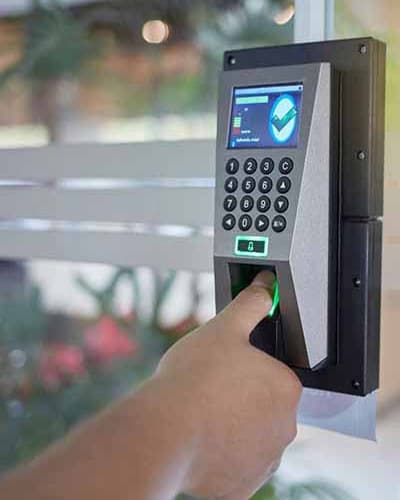
- Fingerprint readers: Biometric smart locks recognize your fingerprint for instant access.
- Smartphone app: Tap to unlock from your phone or set up auto-unlock when you arrive home.
- Voice control: Integrate with Amazon Alexa, Google Assistant, or Apple HomeKit to lock and unlock with voice commands.
This is especially helpful when your hands are full with groceries, you are carrying children, or you simply want the convenience of not carrying keys.
Benefit 2: Grant Access Remotely
Smart locks allow you to provide access to others without giving out physical keys:
- Temporary codes: Create time-limited PIN codes for guests, dog walkers, cleaners, or contractors that expire after a set period.
- One-time access: Generate codes that work only once for delivery people or service appointments.
- Scheduled access: Set codes that only work during specific hours or days.
- Remote unlock: Let someone in by unlocking from your smartphone app, even when you are not home.
When an access code is no longer needed, you simply delete it - no need to rekey locks or collect keys.
Benefit 3: Access Logs and Monitoring
Smart locks record who enters your home and when:
- View a history of lock and unlock events with timestamps
- See which user code was used for each entry
- Receive notifications when someone enters or when the lock is left unlocked
- Monitor your home remotely through the smartphone app
This is valuable for parents who want to know when children arrive home from school, landlords managing rental properties, or anyone who wants to keep track of home access.
Benefit 4: Enhanced Security Features
Smart locks offer security capabilities beyond traditional deadbolts:
- Auto-lock: Set the lock to automatically lock after a specified time, ensuring you never accidentally leave your door unlocked.
- Tamper alerts: Receive notifications if someone attempts to force the lock or enters incorrect codes multiple times.
- No lockouts: You cannot lock yourself out since you can always use a code, fingerprint, or app to enter.
- Integration with security systems: Connect to home security systems, cameras, and automation platforms.
- Encryption: Quality smart locks use encrypted communications to prevent hacking.
Benefit 5: Home Automation Integration
Smart locks work with home automation platforms to create intelligent routines:
- Unlock the door and turn on lights when you arrive home
- Lock all doors and arm the security system when you leave
- Integration with video doorbells to see who is at the door before unlocking
- Voice control through smart speakers
- Scenes that trigger multiple actions with a single command
Popular Smart Lock Brands
Some of the most trusted smart lock manufacturers include:
- August: Known for their retrofit smart locks that work with existing deadbolts
- Yale Assure: Offers a wide range of keypad and touchscreen options
- Schlage Encode: Built-in WiFi eliminates the need for a separate hub
- Kwikset Halo: Affordable WiFi-enabled smart locks
- Level: Minimalist design that looks like a traditional lock
- Ultraloq: Known for fingerprint reader models
Smart Lock Considerations
Before installing a smart lock, consider:
- Power source: Most smart locks use batteries (typically AA or AAA) that last 6-12 months. Keep spare batteries handy.
- Door compatibility: Most smart locks fit standard deadbolt preparations, but check your door thickness and backset.
- Connectivity: Some smart locks require a hub, while others have built-in WiFi or Bluetooth.
- Security ratings: Look for ANSI/BHMA Grade 2 or higher ratings for exterior doors.
Professional Installation
While many smart locks are designed for DIY installation, professional installation ensures:
- Proper alignment for reliable operation
- Correct door and frame preparation
- WiFi and app setup assistance
- Expert recommendations for your specific needs